

Hey everyone! I'm working for a Liquid Cooling Battery supplier, and today I wanna talk about how we troubleshoot a liquid cooling battery. Liquid cooling batteries are pretty awesome tech, and they're becoming more and more popular in the energy storage industry. But like any other equipment, they can have issues from time to time. So, let's dive into the process of figuring out what's going wrong and how to fix it.
1. Initial Inspection
The first step in troubleshooting a Liquid Cooling Battery is to do a quick visual inspection. This is like when you first look at your car and notice if there's anything obviously wrong. Check the battery unit for any signs of physical damage. Look for cracks, leaks, or any loose connections. Sometimes, a simple loose wire can cause a lot of problems.
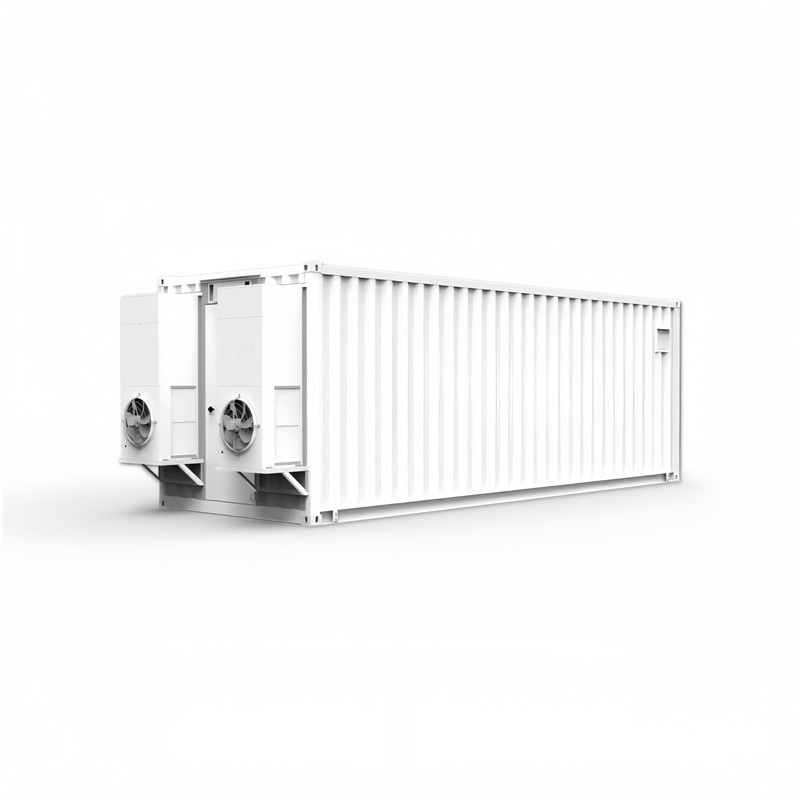
If you're dealing with a Liquid Cooling ESS Container, make sure to also check the container itself. See if there are any issues with the seals or if the container has been damaged in any way. A damaged container can lead to temperature control problems and other issues with the liquid cooling system.
2. Temperature Monitoring
One of the key functions of a liquid cooling battery is to maintain a proper temperature. If the battery is overheating or under - cooling, it can cause serious damage over time. Start by checking the temperature sensors. These sensors are like the "thermometers" of the battery system.
Use a reliable temperature measuring device to double - check the readings. If the temperature readings are off, it could be a problem with the sensors themselves or with the cooling system. For example, if the readings show that the battery is too hot, but the liquid cooling system seems to be running, it could mean that there's a blockage in the cooling pipes. In this case, you might need to flush the system to remove any debris.
3. Fluid Level Check
The liquid in the cooling system is crucial for its proper operation. Low fluid levels can lead to inefficient cooling and even cause the battery to overheat. Check the fluid reservoir to see if the level is within the recommended range.
If the fluid level is low, add the appropriate coolant. But make sure to use the coolant that's recommended by the manufacturer. Using the wrong coolant can cause corrosion and other problems in the cooling system. Also, check for any signs of fluid leakage. If you notice any puddles or wet spots around the battery or the cooling system, there's likely a leak that needs to be fixed.
4. Pump and Fan Functionality
The pumps and fans in the liquid cooling system are responsible for circulating the coolant and removing heat. Check if the pumps are running smoothly. You can listen for any abnormal noises. A loud or rattling noise could indicate a problem with the pump impeller or a worn - out bearing.
For the fans, make sure they're spinning properly. Sometimes, a fan blade might break or get stuck, which can reduce the cooling efficiency. You can use a small piece of paper to test the airflow from the fans. If the paper doesn't move, it means there's an issue with the fan.
5. Electrical System Checks
The electrical components of the liquid cooling battery also play a vital role. Check the power supply to the cooling system. Make sure that the voltage and current are within the acceptable range. An incorrect power supply can cause the pumps and fans to malfunction.
Inspect the wiring for any signs of damage. Look for frayed wires or corroded connectors. A damaged wire can lead to electrical shorts or intermittent power supply, which can cause all sorts of problems with the cooling system.
6. Controller and Software Checks
Many modern liquid cooling batteries have a controller that manages the cooling system. Check the settings on the controller to make sure they're correct. Sometimes, a simple incorrect setting can cause the cooling system to operate inefficiently.
Also, make sure that the software on the controller is up - to - date. Manufacturers often release software updates to fix bugs and improve performance. If the software is outdated, it could be causing issues with the temperature control or the operation of the pumps and fans.
7. Data Analysis
If your liquid cooling battery system has a data logging feature, take advantage of it. Analyze the historical data to identify any patterns. For example, if you notice that the temperature spikes at a certain time of day or after a certain charging cycle, it can give you clues about what's causing the problem.
The data can also show if there are any long - term trends, such as a gradual increase in temperature over time. This could indicate a slow - developing issue, like a build - up of scale in the cooling pipes.
8. Professional Help
If you've gone through all these steps and still can't figure out the problem, it might be time to call in the pros. Professional technicians have the expertise and specialized tools to diagnose and fix complex issues.
They can perform in - depth tests, such as pressure testing the cooling system or using advanced diagnostic equipment to check the electrical components. While it might cost a bit more, it can save you a lot of time and headache in the long run.

Conclusion
Troubleshooting a liquid cooling battery might seem like a daunting task, but by following these steps, you can often identify and fix the problem. Remember, regular maintenance and inspections can prevent many issues from occurring in the first place.
If you're in the market for a high - quality Liquid Cooling Battery or a Liquid Cooling ESS Container, we're here to help. We have a great range of products that are designed to be reliable and efficient. Don't hesitate to reach out if you're interested in learning more or would like to discuss a potential purchase.
References
- Battery Management Handbook, Various industry experts
- Research papers on energy storage systems, Academic journals